If you want to save more money when shopping online using Honey, you need a clear picture of what it is and how it works.
The PayPal Honey browser extension searches for coupon codes and eligible cash-back offers on thousands of sites, then tests codes for you at checkout.


Its rewards program lets you earn points that can be redeemed for cash back or other options, depending on your country. This guide explains Honey’s features, how savings happen, and the exact steps to use it effectively.
What Is the Honey App? Features, Benefits, and How It Works
Honey is a free shopping extension from PayPal that runs in your browser and looks for savings on participating stores.
With one click at checkout, it automatically tests available coupon codes and applies the one that offers the best qualifying discount on supported sites.
When a store participates in PayPal Rewards, you may also earn points on eligible purchases, which can later be redeemed according to program rules.
Honey’s design reduces manual code hunting and centralizes savings into a simple, repeatable checkout action.
Honey App Features and Real Benefits for Shoppers
The extension auto-applies coupon codes during checkout on supported sites, which streamlines a step many shoppers do by hand.
It also surfaces cash-back style offers through PayPal Rewards when a retailer participates, giving you a second layer of savings beyond coupons.
Official materials highlight that Honey can present and test codes with a single click, minimizing trial-and-error. These features reduce friction, save time, and can compound small discounts into meaningful totals over a year.
Honey Supported Browsers and Quick Setup
Honey provides a browser extension you can add in seconds, and it supports major browsers including Chrome, Safari, Firefox, and Opera.
After installing, you sign in and allow the extension to run on shopping sites so it can display offers and test codes.
A compact interface appears at checkout on eligible sites, prompting you to try codes or activate a rewards offer. Installation is designed to be simple so you can begin saving on your next purchase without complex configuration.
PayPal Rewards: How Honey Points and Redemptions Work
PayPal Rewards is the program that tracks points earned from eligible purchases made while Honey is active.
Points can typically be redeemed for cash back to PayPal in the U.S., gift cards, or charitable donations, with availability varying by country.
Rewards are calculated on the eligible subtotal and exclude taxes, shipping, and non-qualifying fees as stated in program guidance. This structure makes rewards predictable and ties earnings directly to the value of items you actually purchase.
Honey Privacy and Data Practices Explained
Honey’s privacy statement explains the types of shopping and device data the service collects to operate and improve features.
It lists information categories like purchase activity and internet or network activity, and it states purposes such as developing, improving, and marketing the service.
PayPal’s broader privacy statement also governs how personal information is handled across PayPal services. Reviewing these statements helps you make an informed choice about enabling the extension on your main browser profile.
How to Save More Money When Shopping Online Using Honey
Savings come from two paths that sometimes stack: coupon codes and rewards points.
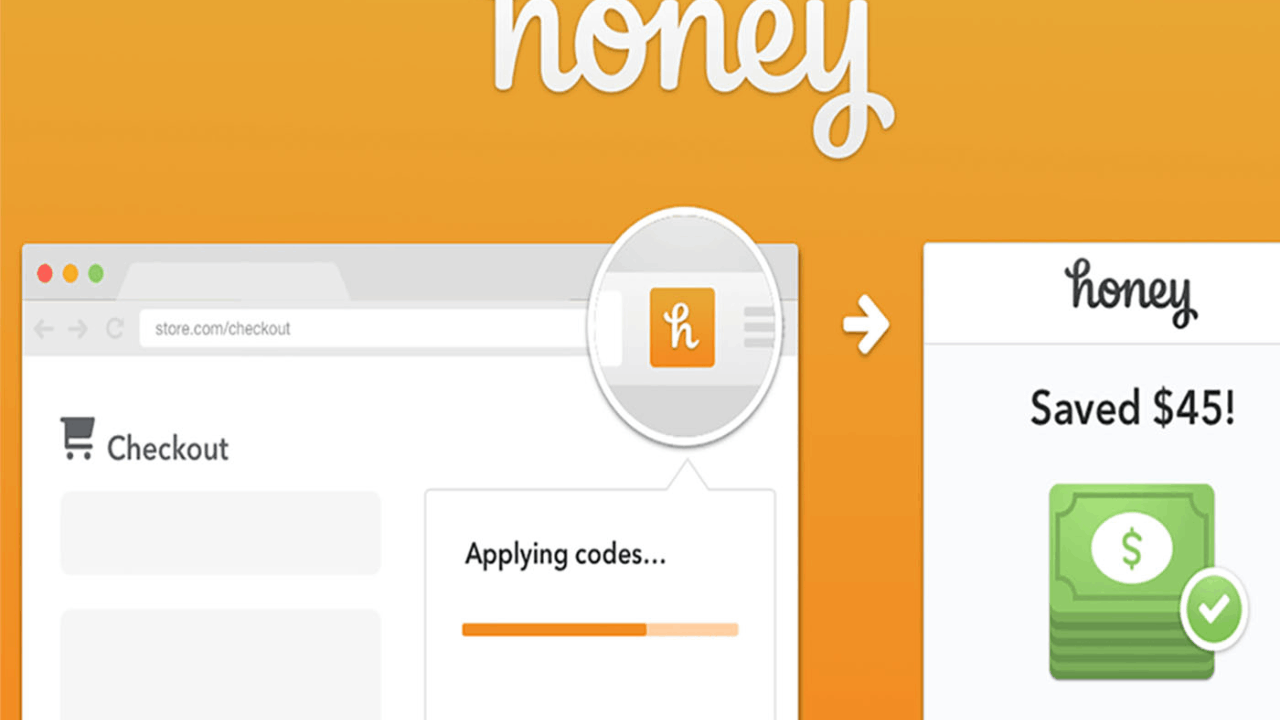
At checkout, Honey runs a quick test of available codes on supported merchants, then applies whichever eligible code yields the best result.
If a merchant participates in PayPal Rewards, you can also activate an offer to earn points on that purchase. These mechanics work together to capture immediate discounts while also building a balance for future redemptions.
Automatic Coupon Code Testing at Checkout
Honey’s one-click prompt appears during checkout on merchants it supports, which removes guesswork about which code is valid.
The extension tries codes it has collected and selects a result based on the best eligible savings for that cart.
Because code validity changes often, this automated test can outperform manual searches that are outdated or incomplete. The outcome is a consistent, low-effort process that either applies a discount or confirms there is no better code.
Earn Cash-Back Style Savings with PayPal Rewards
When a store is eligible, you can activate an offer to earn points on your order’s qualifying subtotal before taxes and fees.
Those points later convert to cash back, gift cards, or donations depending on your region and the redemption options you choose.
The program’s terms outline posting timelines, pending periods, and exclusions so you know when to expect points. This pathway captures value even when the best coupon code yields a smaller discount than expected.
Price Tracking and Purchase Timing with Honey Alerts
Honey promotes a watchlist function that lets you follow items and receive alerts when prices change. Tracking helps you delay discretionary purchases until a price drops or a participating rewards offer improves.
This approach pairs timing with coupon testing to widen your total savings. Careful tracking can be particularly effective on seasonal or frequently discounted items.
How to Use Honey Step by Step to Maximize Savings
Start by installing the official extension in your preferred browser and signing in to your account.

Shop as usual and look for the Honey prompt at checkout on participating stores, then click to apply codes and confirm any savings.
If a rewards offer appears for that store, activate it before completing payment so your points track correctly. After orders post, review your PayPal Rewards balance and plan redemptions that align with your future purchases.
Install and Verify the Official Honey Extension
Use the official listing for your browser and confirm Honey appears among your enabled extensions. Keep default permissions that allow the extension to run on retail sites, which is required to surface offers at checkout.
Sign in so Honey can attribute rewards and maintain your preferences. Once installed, a small Honey icon will indicate activity when you visit supported stores.
Shop and Let Honey Auto-Apply the Best Codes
Browse and add items to your cart like normal, then proceed to checkout where Honey can prompt you.
Click the apply-codes action to let the extension test available options rapidly, then accept the best qualifying discount.
If no codes work, the test confirms you are already at a strong price for that cart. This step preserves time and helps you avoid stale or invalid codes common in manual searches.
Activate PayPal Rewards Before You Pay
When eligible, toggle the rewards offer before paying so your points accrue on the qualifying subtotal. Points often appear as pending and then finalize after a waiting period, which is outlined in help materials.
You can later redeem points for cash back to PayPal in the U.S. or for other options depending on your location. Checking the offer details ensures you meet any category or cart requirements.
Redeem Honey Points and Track Your Savings
Open your rewards dashboard to monitor pending, posted, and redeemed points. Choose a redemption that fits your budget needs, noting that cash back to PayPal is a common U.S. option.
Because points accrue on eligible subtotal amounts, your largest purchases may not always earn proportionally more if many items are excluded. Over time, combining redemptions with coupon savings can produce a meaningful annual total.
Honey Tips, Privacy, and Limitations: Get the Most Value
Always verify that a store is supported before relying on coupon testing or rewards accrual.

Read each offer’s terms so you understand exclusions, posting timelines, and whether gift cards or certain categories are ineligible.
Keep your browser updated and avoid conflicting coupon extensions that may interfere with tracking.
Finally, compare the net result against price-history drops so you do not anchor on a code when waiting a day could save more.
Understand Honey’s Limitations and Exclusions
Not all merchants allow coupon testing or rewards, and some carts contain items that do not qualify for points. Code databases evolve quickly, so even the best extension cannot guarantee a discount on every checkout.
Rewards accruals depend on merchant eligibility and technical tracking that may take time to post. Knowing these constraints helps you interpret outcomes accurately and avoid overestimating expected savings.
Privacy Choices and Account Hygiene for Honey Users
Review Honey’s privacy statement and PayPal’s broader privacy policy so you understand what data is collected and why.
If you prefer to limit activity, consider using Honey only on a primary shopping browser profile while keeping a separate profile for unrelated browsing.
You can also manage extension permissions through your browser if you want to restrict specific sites. These steps let you balance savings with the privacy posture you consider appropriate.
Conclusion
If your goal is to save more money when shopping online using Honey, focus on three simple habits. Install the official extension, let it test codes automatically on supported stores, and activate PayPal Rewards offers before checkout.
Track your points and redeem them for cash back or other options that fit your budget, then repeat the process whenever you shop. With disciplined steps and clear expectations, you can turn everyday checkouts into consistent, low-effort savings.